
 Editor
Discovering Instabridge WiFi Map: Your Key to Free Internet Anywhere
In today’s hyper-connected world, finding reliable WiFi can feel like a treasure hunt. Whether you’re traveling, working remotely, or just trying to save on data, the struggle to stay online without breaking the bank is real. Enter Instabridge WiFi Map, a game-changing app that promises to end the WiFi scavenger hunt for good. But what exactly is it, and how can it transform the way you connect? Let’s dive in and explore why this tool might just become your new best friend.
What Is Instabridge WiFi Map?
Instabridge WiFi Map is more than just an app—it’s a global community dedicated to making internet access free and accessible for everyone. Originally launched by a Swedish company in 2012, Instabridge started with a simple yet brilliant idea: crowdsource WiFi hotspot locations and passwords from users worldwide. Today, it boasts a database of over 20 million hotspots, and that number keeps growing as more people join the movement.
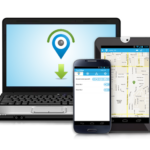
Think of it as a digital map that not only shows you where to find WiFi but also helps you connect seamlessly. Whether you’re at a café in Paris, an airport in Tokyo, or a park in New York, Instabridge aims to get you online without the hassle of asking for passwords or burning through your mobile data.
How Does It Work?
Downloading the Instabridge app is your first step to unlocking this WiFi wonderland. Once installed, it works its magic by tapping into its massive, user-contributed network of hotspots. Here’s how it flows:
- Locate Hotspots: Open the app, and a map pops up showing nearby WiFi networks. These aren’t just random signals—the app prioritizes spots shared and verified by the community, complete with details like signal strength and reliability.
- Auto-Connect: No need to fumble with passwords. Instabridge automatically connects you to available networks that work, saving you time and frustration.
- Offline Access: Traveling or low on data? The app offers offline maps, so you can still find hotspots even without an internet connection.
- Join the Community: Share WiFi spots you know, and you’re contributing to a global effort to keep everyone connected.
It’s straightforward, user-friendly, and designed to “just work”—no complicated setup required.
Why Instabridge Stands Out
There are plenty of WiFi-finding apps out there, so what makes Instabridge different? It’s all about the features and the ethos behind it. Here are some standout perks:
- Massive Coverage: With millions of hotspots across 190+ countries, you’re covered almost anywhere you go. From bustling cities to remote corners, Instabridge has your back.
- Data-Saving Browser: Beyond WiFi, the app includes a built-in browser that compresses data by up to 10 times. That means faster browsing and less strain on your mobile plan.
- eSIM Integration: For newer phones, Instabridge offers affordable mobile data plans via eSIM, eliminating roaming fees and the need to hunt for SIM cards abroad.
- Community-Driven: This isn’t a corporate cash grab. It’s a collective effort where users help each other by sharing access, making WiFi a universal right rather than a luxury.
- Security First: Worried about public WiFi risks? Instabridge includes a VPN option to keep your browsing safe, especially on those sketchy open networks.
The Real-World Benefits
Imagine you’re on a budget trip, hopping between hostels and cafés. Your data plan is dwindling, and you need to check directions, upload photos, or call home. With Instabridge, you can skip the overpriced coffee shop WiFi codes and connect instantly to a nearby hotspot. Or maybe you’re a digital nomad juggling deadlines in a foreign city—Instabridge’s offline maps and eSIM options ensure you’re never offline when it matters most.
For those in areas where WiFi isn’t affordable, this app is a lifeline. By encouraging users to share their own networks (securely, of course), Instabridge builds a bridge—pun intended—to close the digital divide.
Any Downsides?
No tool is perfect, and Instabridge has its quirks. The hotspot database relies on user contributions, so coverage can be spotty in less populated areas. Some users have reported occasional connection hiccups or delays in loading nearby networks. And while the app is free to use, premium features—like access to better-encrypted networks or extended VPN use—come with a cost. Ads might also pop up in the free version, which could annoy some folks.
Still, these are minor bumps in an otherwise smooth ride. The app’s constant updates and growing community show it’s evolving to meet user needs.
A Tool for Travelers, Nomads, and Everyday Users
Whether you’re a globe-trotter, a student on a budget, or just someone tired of spotty cell service, Instabridge WiFi Map has something to offer. It’s especially handy for:
- Travelers: Save on roaming and stay connected with offline maps and eSIM plans.
- Remote Workers: Find reliable WiFi for video calls and uploads, no matter where you are.
- Social Good Advocates: Contribute to a mission that helps others access the internet affordably.
How to Get Started
Ready to give it a shot? Head to the Google Play Store or Apple App Store and search for “Instabridge: WiFi Hotspot Map.” Download it—it’s free—and start exploring. Once you’re in, take a moment to add a hotspot or two you know about. Not only will you feel good about helping others, but you’ll also see the network grow stronger.
Final Thoughts: Is Instabridge Worth It?
In a world where staying connected often comes with a hefty price tag, Instabridge WiFi Map feels like a breath of fresh air. It’s not just about free WiFi—it’s about freedom, community, and ingenuity. Sure, it’s not flawless, but its benefits far outweigh the drawbacks for most users. If you’ve ever found yourself pacing outside a café, hoping their WiFi reaches the sidewalk, this app might just change your life.
Have you tried Instabridge yet? Drop your thoughts in the comments below—I’d love to hear how it’s worked for you! And if you found this post helpful, share it with your travel buddies or anyone who could use a WiFi boost. Let’s keep the internet flowing for everyone.
DOWNLOAD INSTABRIDGE NOW

Comments
Loading…